What Keptance does, from the first brief to the last change order
Keptance is a web app for freelance software developers. It covers one project's whole life: understanding the brief, pricing the work, preparing the proposal, keeping the agreement on record and writing up what's added later. The end of this page lists what it doesn't do and what its terms mean.
Where AI fits
AI drafts the questions and the plan, and the proposal is built from them. You review everything and edit the proposal, and Keptance never sends anything to your client on its own. With a day rate set, the price is calculated in code; without one, you see a labelled AI market estimate.
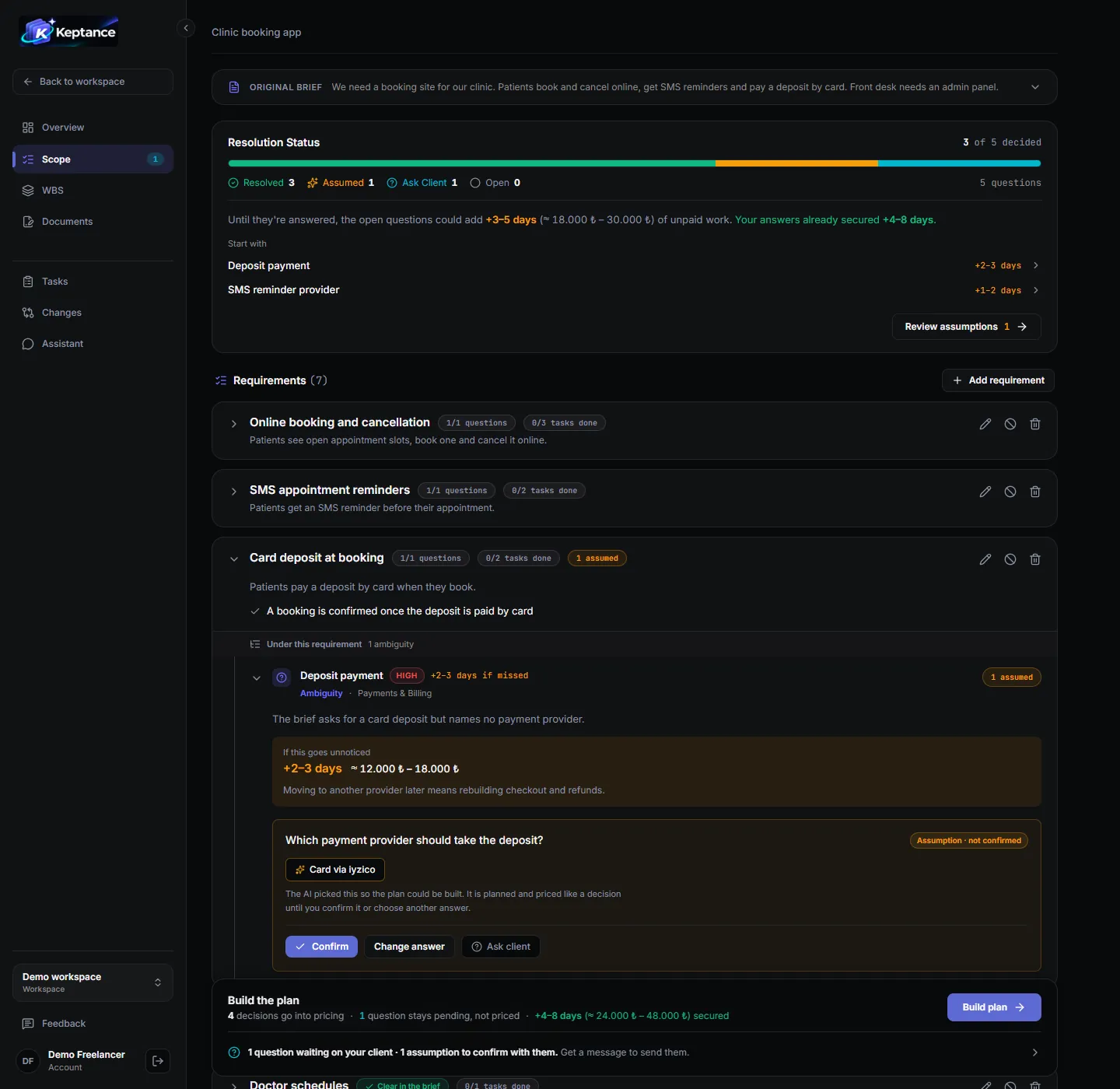
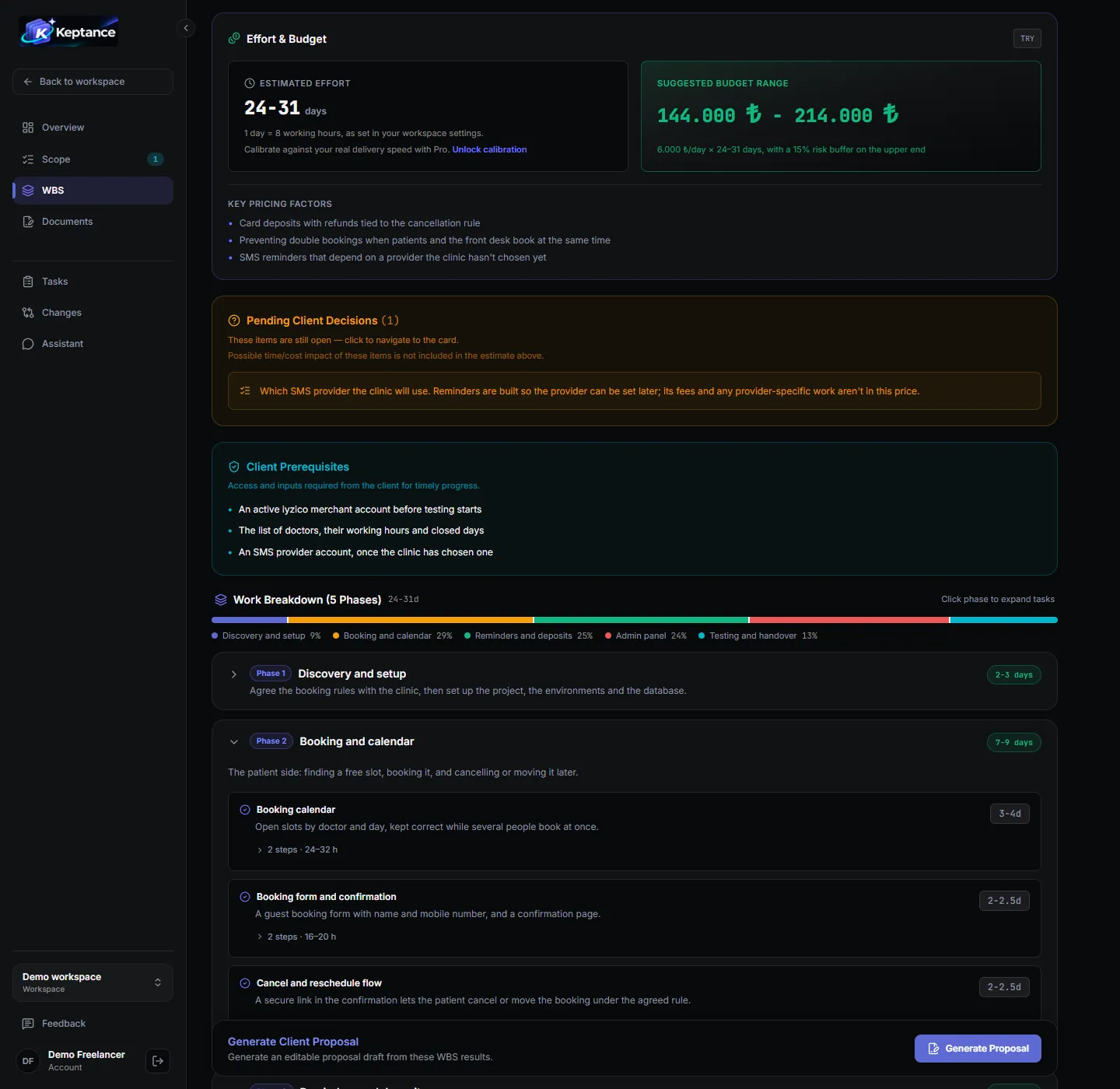
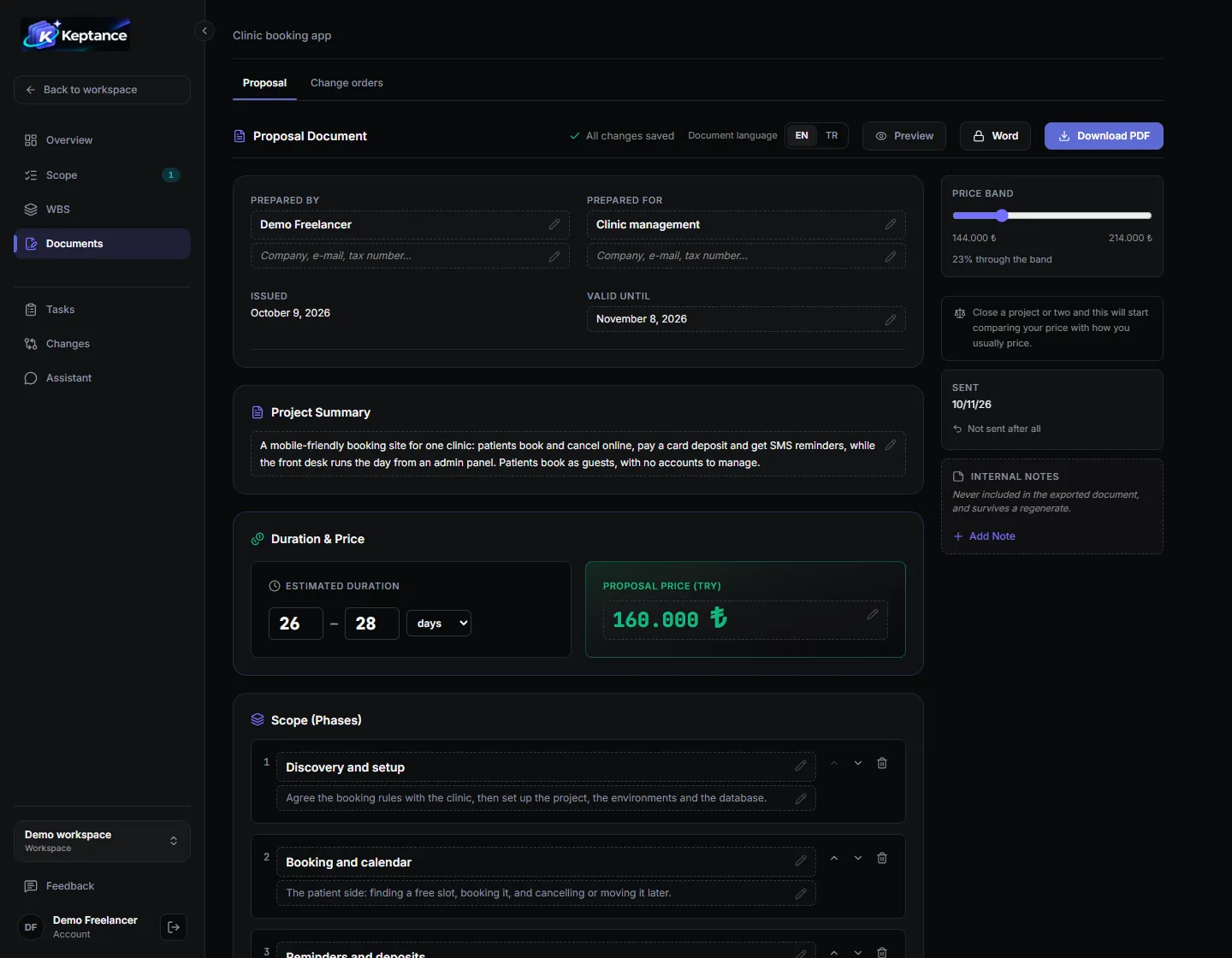
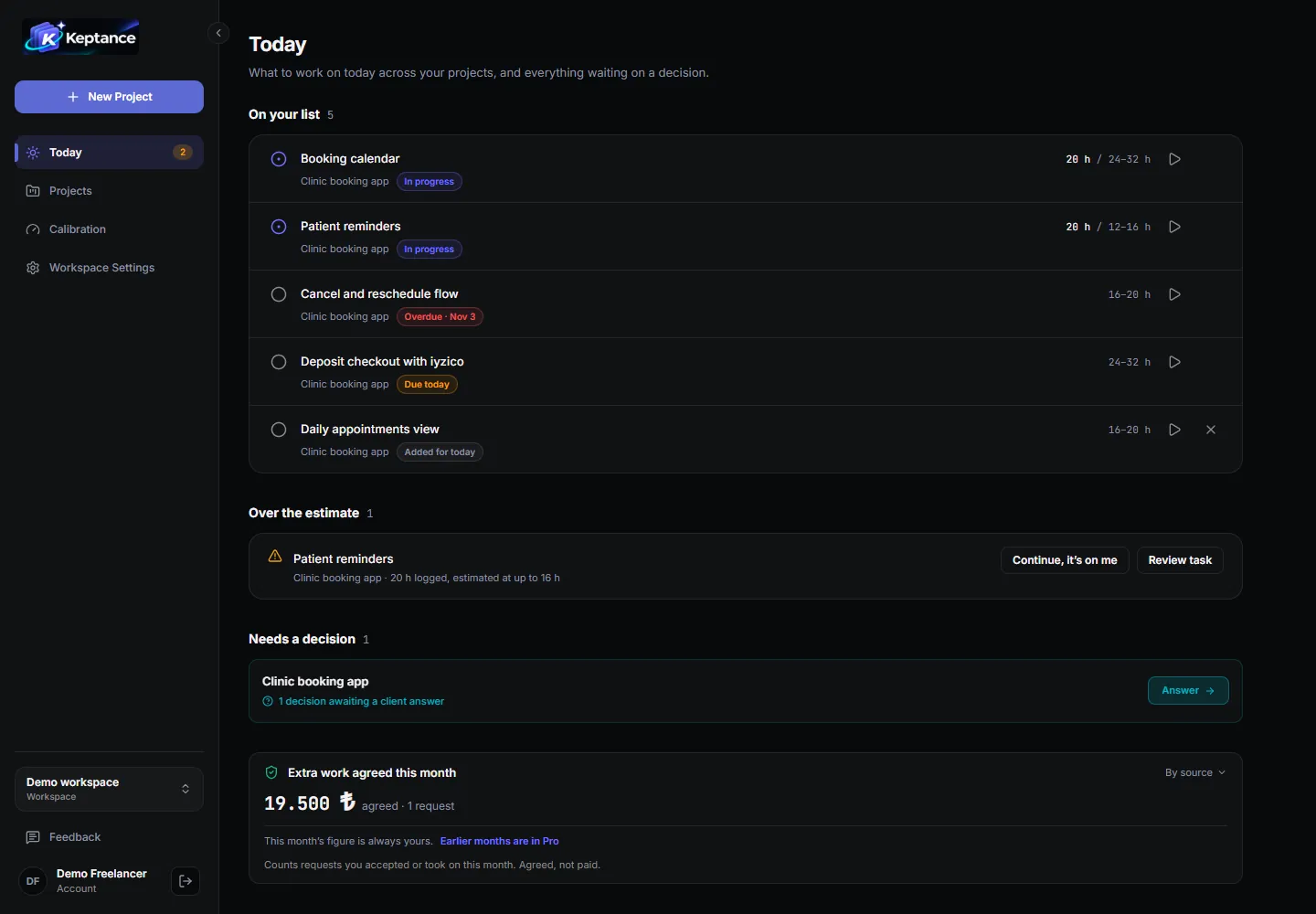
These are the app's real screens. The clinic booking project and its AI text were written for this example, not produced by a live AI run.
Brief clarification
Paste a client's brief, up to 30,000 characters. Keptance checks that it is a software project brief and turns it into requirements and the questions it leaves open, each ranked by severity. Briefs for other kinds of project aren't supported.
Ambiguity is cheapest to settle before you quote. Each question can be answered in a click, marked to ask the client with a message you copy, or saved as an assumption.
Related: Requirements Clarification Checklist
Requirements and project scope
Keep a project's requirements and decisions in Scope, and its exclusions on the proposal. Assumptions the AI fills in stay unconfirmed until you confirm or change them.
What you excluded in writing is what you can point to later. If a decision changes, the plan is flagged as out of date.
Related: How to Define Software Project Scope Before Starting Development · Project Scope Definition Checklist
Estimates and software project pricing
A work breakdown (WBS) splits the project into phases and tasks with effort ranges in days. With a day rate set, the price is calculated in code, in TRY, USD or EUR. Without one, or when the project is in another currency, you see a labelled AI market estimate.
With a day rate, the price follows a formula you can explain: days, rate and risk buffer. Every revision is kept as a version you can compare with the current plan.
Related: How to Price a Software Project as a Freelance Developer · Software Project Pricing Worksheet
Project proposals
The proposal is built from the plan: phases, exclusions, prerequisites, questions still open with the client, and price. Edit it inline and export it as a PDF. The first export marks it as sent, which you can undo, or you can mark it by hand.
A price tied to a defined scope gives a later request something to be measured against. Free PDFs carry a small footer line; Pro adds Word files and removes it.
Related: How to Write a Software Development Proposal · Software Project Proposal Template
Agreement baseline
“Agreement reached” is your own record of what was agreed, with no client signature in the product. It freezes the scope, the proposal and the agreed price as of that day. New plan versions can still be made and don't move that price, and an edit to the scope becomes a request you decide on.
Later requests are measured against this record. You can undo it until the first change request.
Tasks and time tracking
Track tasks with a timer or enter time by hand. A Today screen gathers what needs your attention across a workspace's projects.
The time you log is what later shows whether an estimate held, without a separate record to keep.
Flags for out-of-agreement work and overruns
Add a task by hand without linking it to a requirement and it's flagged as outside the agreement. Log time past a task's estimate and it's flagged as an overrun. These are rules, not automatic detection: your code and commits aren't read.
From a flag you can open a change request while the work is under way, or decide it's fine and carry on.
Related: Scope Creep in Software Development: Examples, Causes, and Prevention
Change requests and change orders
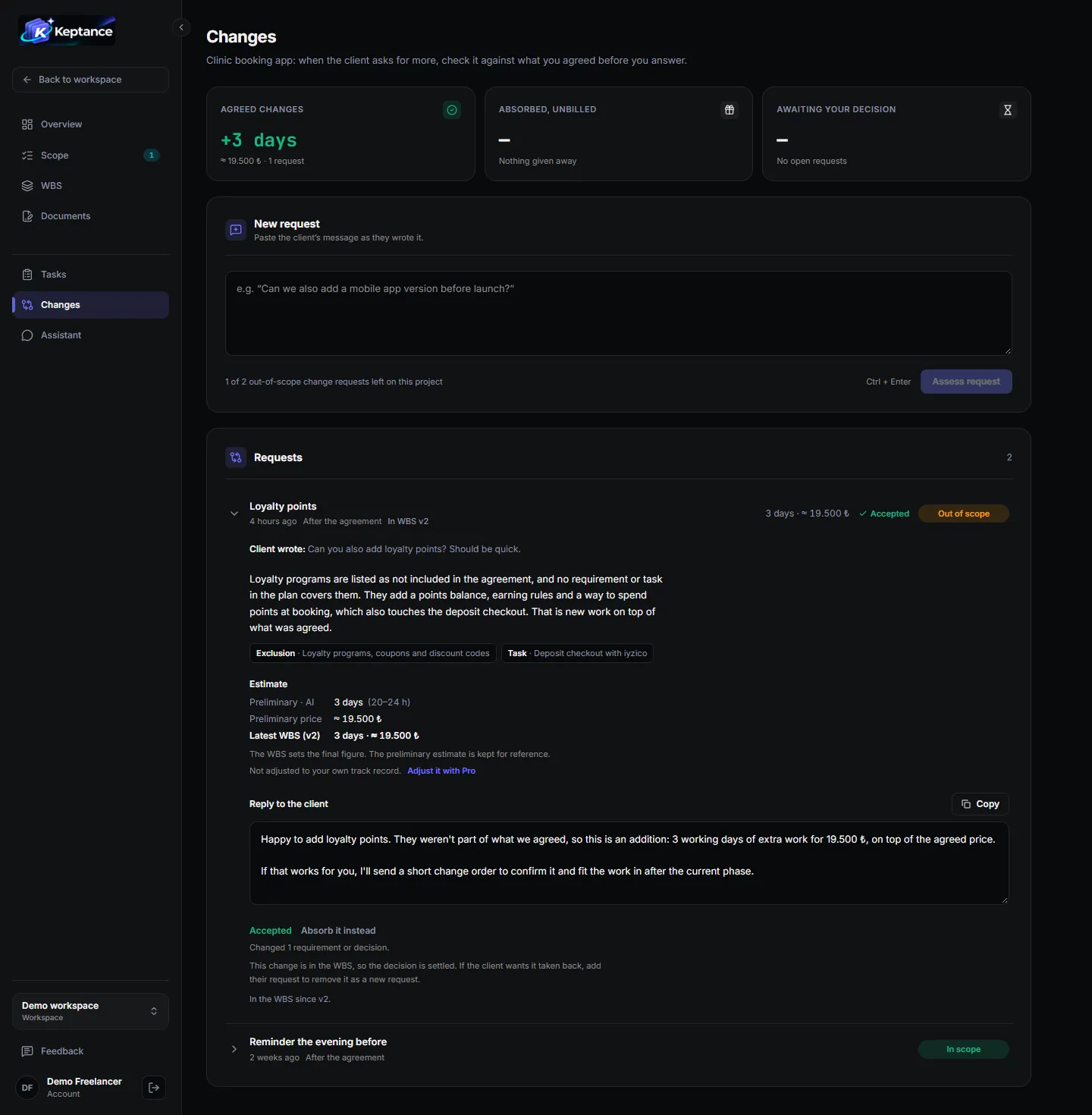
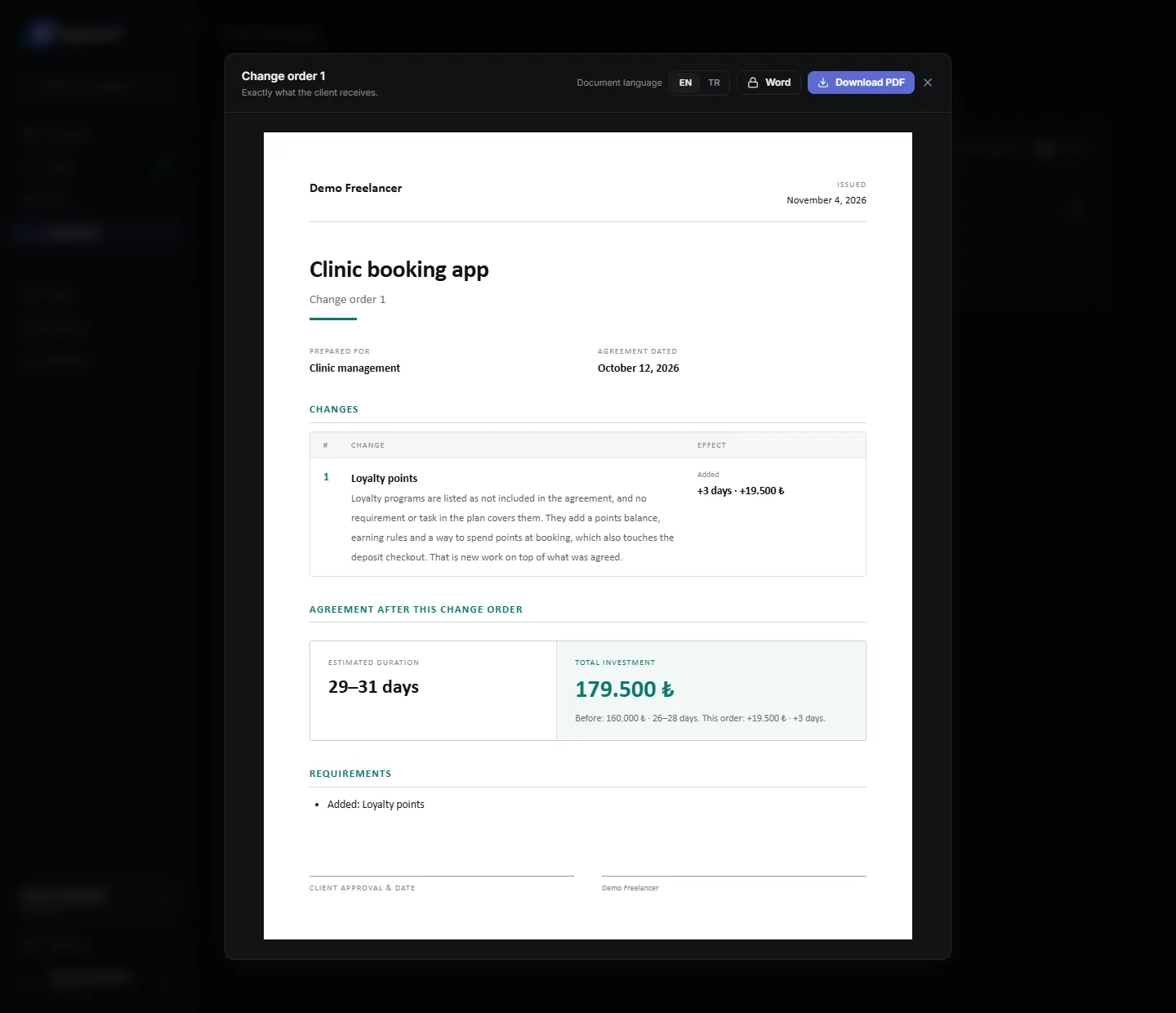
Paste the client's message. AI assesses it against the agreement and your exclusions and shows its reasoning. If it's out of scope you get days, plus a price when a day rate is set in the project's currency; otherwise you get days only. You accept it, decline it or take it on free, and accepted work can go into a numbered change order you export. A change's days and amount, and a change order's content, can't be edited.
Each extra you enter gets a written record, so “can you also add…” doesn't quietly become free work.
Related: Software Change Orders: What to Include, With an Example and Pricing · Software Developer Change Order Template
Protected revenue
Out-of-scope work you accept adds up as protected revenue, whether or not it's in a change order. Work you take on free is shown apart, and reductions don't count. It's recorded work, not money received.
You can see how much extra work you put on record. Free shows this month; Pro keeps every month, by project.
Project completion and calibration
Close a project and the time you tracked pre-fills the actual days, which you can edit. On Pro, once a workspace has three completed projects, later estimates are corrected against them, and you can import past projects.
The correction is a plain calculation in code and not an input to the AI's estimates, so you can see why a number moved. Pro isn't on sale yet.
Project assistant
Ask questions about a project and get answers from that project's own scope, plan and changes.
It saves digging through a project's tabs. Monthly message limits depend on the plan.
What Keptance doesn't do
- It doesn't email or message your client. You export a document and send it yourself.
- It doesn't take payments or issue invoices.
- It doesn't give legal advice. Proposals and change orders are business documents you are responsible for.
- It has no team workspaces yet. Each workspace belongs to one person.
What do these terms mean?
- Scope creep
- Work that grows past what was agreed while the price and schedule stay as they were, usually one small request at a time.
- Change request
- A later request you enter in Keptance, such as a client's message. AI gives an opinion on whether it's in scope, with its reasoning, and you decide.
- Change order
- A numbered document listing the changes you accepted or took on free after the agreement, and showing the agreement before and after them. You export it and send it yourself.
- Work breakdown (WBS)
- The project split into phases and tasks, with effort ranges in days.
- Agreement baseline
- Your own dated record of the scope, proposal and price you agreed. There's no client signature in the product.
- Day rate
- What you charge for one working day, worked out from the hourly rate and hours per day in your settings.
- Protected revenue
- The out-of-scope work you accepted, added up. It's recorded work, not money received.
- Calibration
- On Pro, a correction to later estimates based on how long your own completed projects actually took. It's a calculation in code and not an input to the AI's estimates.
Quote with the scope in writing. Keep it on record until it's delivered.
Start with one project, and see what the agreement is worth the first time a client asks for more.